Using the Lithology Tab
The Lithology Tab allows you to define Lithology Sets — named collections of lithologies, each with a configurable display colour and pattern. Lithologies are used to control how AI/ML Lithology Prediction output curves are visualised.
Create a Lithology Set
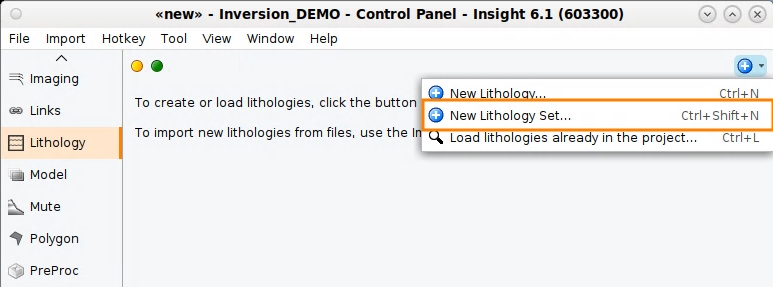
- In the Control Panel, select the Lithology tab.
- Click the "+" icon and select New Lithology Set.
- Enter a name for the set and click OK.
The new Lithology Set appears in the tab. Individual lithologies can then be added to it.
Add a Lithology
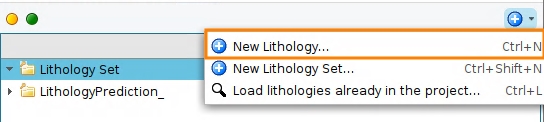
- Select the Lithology Set you want to add to.
- Click the "+" icon and select New lithology.
- Enter a name for the lithology and click OK.
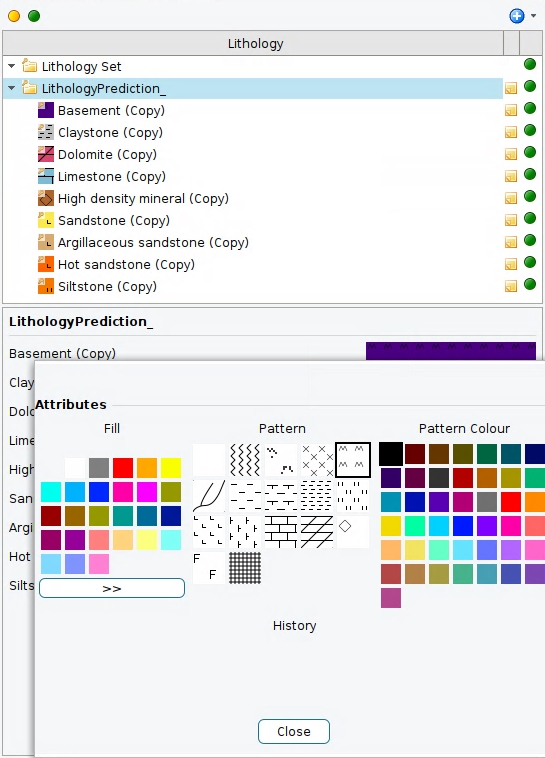
- With the lithology selected, use the Display pattern picker to assign a colour and fill pattern.
Note: A lithology must always belong to a lithology set. Select a single set before clicking the New lithology option. If multiple sets or no set is selected, Insight will prompt you to correct the selection.